Monday, September 2, 2013

Superlative Gallery apps for android

Having a decent camera on your smartphone results in you taking a number of pictures with it. so here are some of the top free gallery apps for your smartphone

Vaulty
Vaulty is an app which protect or lock your images from you Android smartphone to access anybody rest of you. Because this app hide your images and video from gallery for free. If you have unlimited photo’s and video it also hide or lock your data. It almost sealed your dat


Super Vault Android app
Super Vault has many super features like hide you lock your messages, images video’s, contacts, or hide any file or app from your System and can not access other user rest of you. It is nothing but it also hide history of files. This is an amazing app from Google play and it totally keeps our privacy. It include AES encryption. 


Gallery Lock free
Gallery Lock free app is one of the prominent app from Google play. It enables your all files secure and  locked with a password or PIN. It shows your files inn your gallery but can’t access any other user. There is features of password criteria authentication when unlock you files type. The user gives an average point 4.5 out of 5. This app will run on Android 2.2 and newer

KeepSafe Android app
KeepSafe is one of the best app present in Google Play. It keeps your privacy maintain. If you want to open any files or photo’s from your Android smartphone first of all enter you Password if you install KeepSafe app in your system. It is easier to use than other app. Zoom and rotate features added and make this pp more useful. It enable multi fast lock and unlock files. It also gives free slide-share features when you open any files on your system.

Friday, August 30, 2013

How to Watch Blocked Videos on YouTube

YouTube lets the publishers block their videos in certain areas, regions or countries. The reason may be anything varying from political to sexual inappropriacy of the content. However, if you are hell bent on viewing the video then here is a quick guide to help you get your dose of some blocked content.

The easiest way is to replace  /watch?v= part with /v 

Example- 

[Before] www.youtube.com/watch?v=yEwD36Dk1jw 


[After] www.youtube.com/v/yEwD36Dk1jw 

Or type "pwn" before youtube.com in the http address 


[Before] www.youtube.com/watch?v=yEwD36Dk1jw 


[After] www.pwnyoutube.com/watch?v=yEwD36Dk1jw 


another way is to install an add on to your chrome or firefox browser
ProxTube - Unblock YouTube :: Add-ons for Firefox here.

These two methods should do the trick. Enjoy the content.

Thursday, August 29, 2013

Video Chat apps on Android

With the increase in the amount of android enabled smartphones, people are moving towards the option of video calling dumping the age old traditon of video call. Undoubtedly, Video calling is much better than a voice call because it gives a much more realistic feeling to the virtual presence of the two sides.

Video chat requires an internet connection making it cheaper than a voice call in most cases. So, Here are some of the top of the line video chat apps available on play store.

1. Google Hangout: The cross platform primary video chat by Google, was unveiled at the Google IO'13 this year and is a replacement to Gtalk. Amazingly grat video response and crystal clear audio make it the best video app on the play store. Also has awesome features like adding live beards to your own video. Haha.


2.Tango: Tango packs in the features which will have you video chatting with ease and do a lot more. Play Games, greet your loved ones with live emojis and send in text messages right from your phone through this app. 

3.Line is another superlative video app, with features to support voice call and voice texts as well. Extremely popular in countries like India.
4. Skype Undoubtedly it is the supreme of all video chat apps alternatives and also free. It is all popular VOIP and video chat services for android iOS, Windows. Here you can make calls and video chat with fun at instance as well as comfort and easier anywhere Skype to Skype no matter they are on any operating system.

Also to mention some messengers which may not be video chat enabled:

VIber: Top of the line text and voice calling messenger.


Kakao talk is coolest app from Android and it is available for Android, iOS, Bada OS. This app is kind of open source and send messages through Internet anywhere. And also chat with in a group and after manage your group chat. You have fun with some great emotions pictures, stickers etc. It is fully free having 75 millions users are registers.


Wednesday, August 28, 2013

Download YouTube videos on Mobile

You Tube is undoubtedly the most popular video sharing and viewing website.From catching your favorite songs, to getting in the latest of global news, YouTube has it all.

 However due to limited access to the internet or slow download speeds you may sometimes feel the urge to permanently store the video on your mobile device rather than waiting for the video to buffer. So here is a tutorial on how to download YouTube videos DIRECTLY to your mobile.

For any Java enabled mobile device
1.Download Opera Mini browser for your phone from here. Test the various versions for compatibility issues..

2. In the YouTube search bar, search for any video you like, e.g. You may type something like this "How to Chat on Facebook using Opera Mini Mobile" in the search bar and then click on search. 

3. you'll see a list of video search results relating to what you just searched, select any video you like by clicking on it, note, do not click on watch video. 


4. Go to the address bar, i.e. (Where you usually type the address of any website you like to visit.) and click on it, there you'll see an address that looks like this " m.youtube.com/watch?gl=US&hl=en-GB&client=mv-google&v=yPD346Zh6jo ". 


5. Delete the
 ( m. ) and replace it with ( ss ) now your address should look like this
" ssyoutube.com/watch?gl=US&hl=en-GB&client=mv-google&v=yPD346Zh6jo " click ok, a new page (i.e. Download page) where you can download your video will loaded. 


6. On the new page loaded, you will see different video formats with which you can download your video, some of the formats you'll see are".mp4 .3gp .flv"etc. Select any format you'll like but I'll advice you to choose .mp4, then, 


7. Your opera mini browser will ask you to choose a folder in which you'll like to save your video, choose any folder you'll like and then, 


8. Download the video. So how it is easy to download YouTube videos on your opera mini mobile browser using third party service. 


For Android/iOS device:
GO to the respective app store and play store on your device and search for a YouTube down loader. Download and install any of the downloaders. My Favourite would be the Tube Video downloader.
Follow the on screen instructions of the app.


Tuesday, April 23, 2013

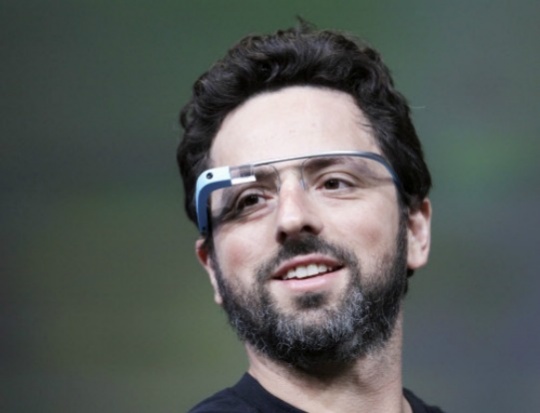
Glass


Hello friends! I am Vipul Khullar, a first year CSE undergrad. A few years ago, I watched Pranav Mistry's video on TED explaining the mind-boggling technology created by him, The Sixth Sense! I believed that something like that could only happen in about 20-30 years! :P But with the fast growth of technology in the past few years, smartphones with awesome computing speeds are in our hands and with the launch of the Google Glass, I'm sure the time is near when the Gesture Technology will be a part of our daily lives.

So what's a Google Glass ? Is it just another pair of goggles or something that is technologically advanced, capable of doing numerous work with ease and grace? Obviously, you already know the answer :D


Google glass as the name implies is a pair of glasses that you wear but it can do things what no other spectacles can even dream of. And the specs on these "specs" are quite mind boggling. It has a tiny high resolution screen embedded right where your peripheral vision starts and because it's so close that to eye it appears like a 25 inch screen! The glass band has a touch pad that lets you to slide your fingers up and down to scroll through pages and you tap to select an item. The bone conduction transducer transmits sound directly to ears thus eliminating the need of headphones


This device is also fitted with speakers, microphone, and a motion sensor that interpret command based on wearer's head movements. Eye movements can also be used to control the device and simple head motion allow you to scroll through apps which is really amazing! Google glass allows you to do everything that a smartphone does without you having to fish it out of pocket. It can film or photograph on demand, provide real time info on your head plus blink your eyes twice to activate picture boggling features.Shake your head at left to see news, notification emails etc. It also tells exact GPS location, bio-data, meetings and the schedule for the evening. Whisper into the microphone to activate face recognition feature and much more.

If my entire futuristic description has astonished you and excited you towards technology then you are not alone. But let me clarify you it is not about the future, this is about now. Google Glasses and other tech glasses like The Sixth Sense by Pranav Mistry has now reached a point where it's no longer about imagining all these awesome things. This could well be our lives from here on. So Long Guys!

PS : One more awesome feature of the Glass according to me would be the the ability to check the opponent's power level, which would be quite a useful thing for geeks like me :D Only Dragon Ball Z fans will get this :P 


Saturday, March 23, 2013

Myth-onology

Clearly, the explosive growth of the Internet has created a fair share of misunderstandings, fabricationand,myths . so, just to make you guys more comfortable and educated about the actual, definite facts about tech, and clear all related misconceptions  here are some rumors laid bare, and how they affect you.

1. Expensive HDMI cables are better than cheap onesDon't be pressured by salespeople to buy marked-up HDMI cables in retail stores. Brent Shelton from Ebates.com agrees. Cables which you can buy online are much, much cheaper and they send exactly the same HDMI signal, which they are supposed to..uh..yeah!
The only thing cheap HDMI cables can't do, is pad the pockets of retailers with profits derived from products marked up hundred of times.

2. More the Megapixels, better is the camera: Now, this one has being doing rounds for quite sometime now. The truth is much more complicated. While, megapixels definitely affect quality, other factors, such as Color, sharpening, the lens type and quality are much more important. This goes same for Cameras on Smartphones  the most recent and the best example would be the camera on the HTC One. The camera is only 4MP, but captures pictures equivalent to a camera having 8MP. So, before you buy a new camera, be sure to consult a pro and read the consumer reviews rather than the MegaPixels.


Apple laptop computer3.Macs can't get viruses: HOLY CRAP ON A CRACKER!! what kind of people come up with such rumors? For the  one thing i am absolutely sure about the Hacking community is that they really enjoy challenges. However, the likelihood of an Apple Macintosh user getting a virus when compared to a Microsoft Windows user is very little to none. In fact, many of the Apple Macintosh users don't even run an antivirus protection program.   And, just so you guys know, half million Mac users were infected with a Trojan last year in April, with half the users being in the U.S.


4. Moore's law will always hold trueMoore's Law is generally taken to mean that the number of transistors on a chip -- and by extension, processing power -- doubles every two years. In reality, Gordon Moore, the computer scientist who originated Moore's Law in 1965, was talking about the economic costs of chip production and not the scientific achievements behind advances in chip design. 
One analyst has predicted that by 2014, transistors will be 20 nanometers in size but that any further reductions in chip size will be too expensive for mass production [source: Nuttall].
For comparison, as of summer 2009, only Samsung and Intel have invested in making 22-nanometer chips.


5. Unlimited Texting plan save you money: if you belong to a school of thought which actually believes in this ideology, please contact me, so that i can arrange a meet with you and indulge in a lot of public mockery. 

Sunday, March 17, 2013

Google Now Voice Commands

I've been intending to write this post for a while but couldn't find time (procrastination, you know :-P) . But here it is! Google Now is an intelligent personal assistant from Google and comes default with 4.1 Jelly Bean, a flavor of the android operating system. I've been amazed by this technology ever since it was demonstrated at the 2012 Google I/O. It answers questions, gets directions, sets alarms, makes recommendations and performs various actions by delegating requests to a set of web services. The interface is awesome, it depicts information with the help of cards. You'll be seeing their screenshots later in this post.

The main feature that makes Google Now awesome and better than it's competitors which include Siri and S-Voice is it's voice recognition and intuition. Yeah right, intuition. Google  Now takes out information like airport tickets from a person's Gmail account and generates a card showing the person's boarding pass! It generates a card from the person's search history. For  example you searched about a basketball team and you'll see a card which will allow you to buy tickets for a match in which that team plays again! Whenever you are away at work, it will generate a card showing you the shortest and less traffic infested route back to your house! i searched about Galaxy S4 on Google and bam! There was a card waiting for me in Google Now.


Specialized cards currently comprise of : 
  • Activity Summary(Walking)
  • Birthday
  • Events
  • Flights
  • Movies 
  • News
  • Meetings
  • Photo Spot nearby
  • Package Tracking
  • Places
  • Public Alerts
  • Public Transit
  • Research Topics
  • Sports 
  • Stock
  • Traffic Updates
  • Attractions nearby while traveling
  • Time Back Home
  • Translate
  • Weather
Phew! :-P

Last Sunday, I got my Nexus 4 and I've been playing with Google Now a lot! To start asking questions, you just have to tap on the mic icon shown in the image or say "Google"  after you've already opened Google Now after swiping up from the Home key.


Let us discuss about some of the voice actions which I came across!

  1. Open an App

    You can say "Open [app]" to open an app. For example, "Open Camera" opens the camera app.

                                               
  2. Set an Alarm

    To quickly set an alarm, say "Set an alarm for [time]" or "Set an alarm for [time] from now". You can also add a label For example "Alarm for 6 Hours Wake Up."

                                               
  3. Make a note

    To make a note, say "Note to self" and continue talking to add words to your note. It will create a note both in audio and text which will be emailed to your Gmail account, so that you can listen to the exact words you said !

                                               
  4. Create a Calendar Event

    You can just say "Create a calendar event : Lunch in New Delhi, Monday at noon"

                                               
  5. Send an Email

    Voice actions can be used to send an entire email. For example, you could say that "Send email to Vinayak Mehta, subject, Test email, message, Testing Google Voice actions"
  6. Send a Message

    Voice actions can send text messages in the same way it can send emails! For example. you could say "Send SMS to Pranu Sarna, message, Hey"
  7. Make a Phone Call

    To make a phone call, just say "Call" followed by the phone number or the name of the contact.

                                             
  8. Scan a Barcode

    You don't need a third party barcode scanner app on your phone, whenever you want to scan a barcode or a QR code you just gotta say "Scan a Barcode"  and boom! Google will give you a barcode scanner.